Multiple Pay Schedules
- 1 → manypay schedules per account, up from one locked choice
- 4schedule types an account can combine: weekly, bi-weekly, semi-monthly and monthly
From one locked pay schedule per account to several running side by side, researched with Sales and Support, designed for web and built for mobile by designers I mentored.
About Hourly
Hourly is a workforce management and payroll platform for SMBs with hourly workers. Pay schedules decide when every employee gets paid, so a mistake here reaches every paycheck and every tax filing.
- Role
- Product Design Director · Research & Strategy
- Timeline
- 2026
- Location
- Remote
The Problem
Every Hourly account ran on a single pay schedule: weekly, bi-weekly, semi-monthly or monthly. Whatever a company picked at the start, it was effectively stuck with. Changing it was complicated for each employee’s taxes and risked damaging the account’s configuration.
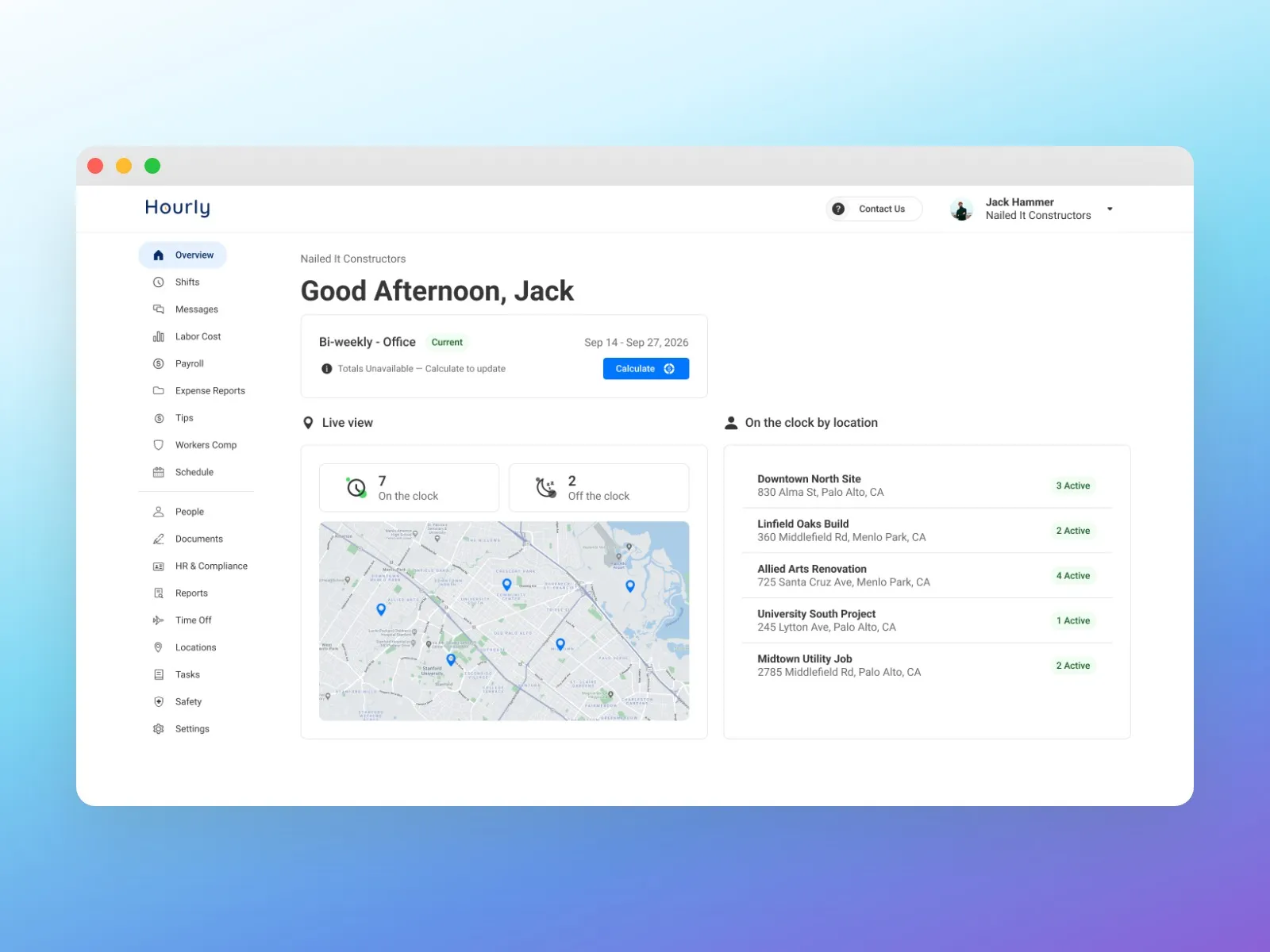
Real businesses don’t pay everyone the same way. A company might pay contract workers weekly and managers semi-monthly. Without that, Sales kept running into a feature gap against other payroll platforms.
The Thinking
A pay schedule isn’t one setting. It touches the dashboard, payroll, shifts, locations and every employee’s taxes. Before designing anything, I needed to know how far a second schedule would reach into the product, and which rules had to hold. The most important one: an employee can be on only one schedule at a time. Moving people between schedules has to be safe.
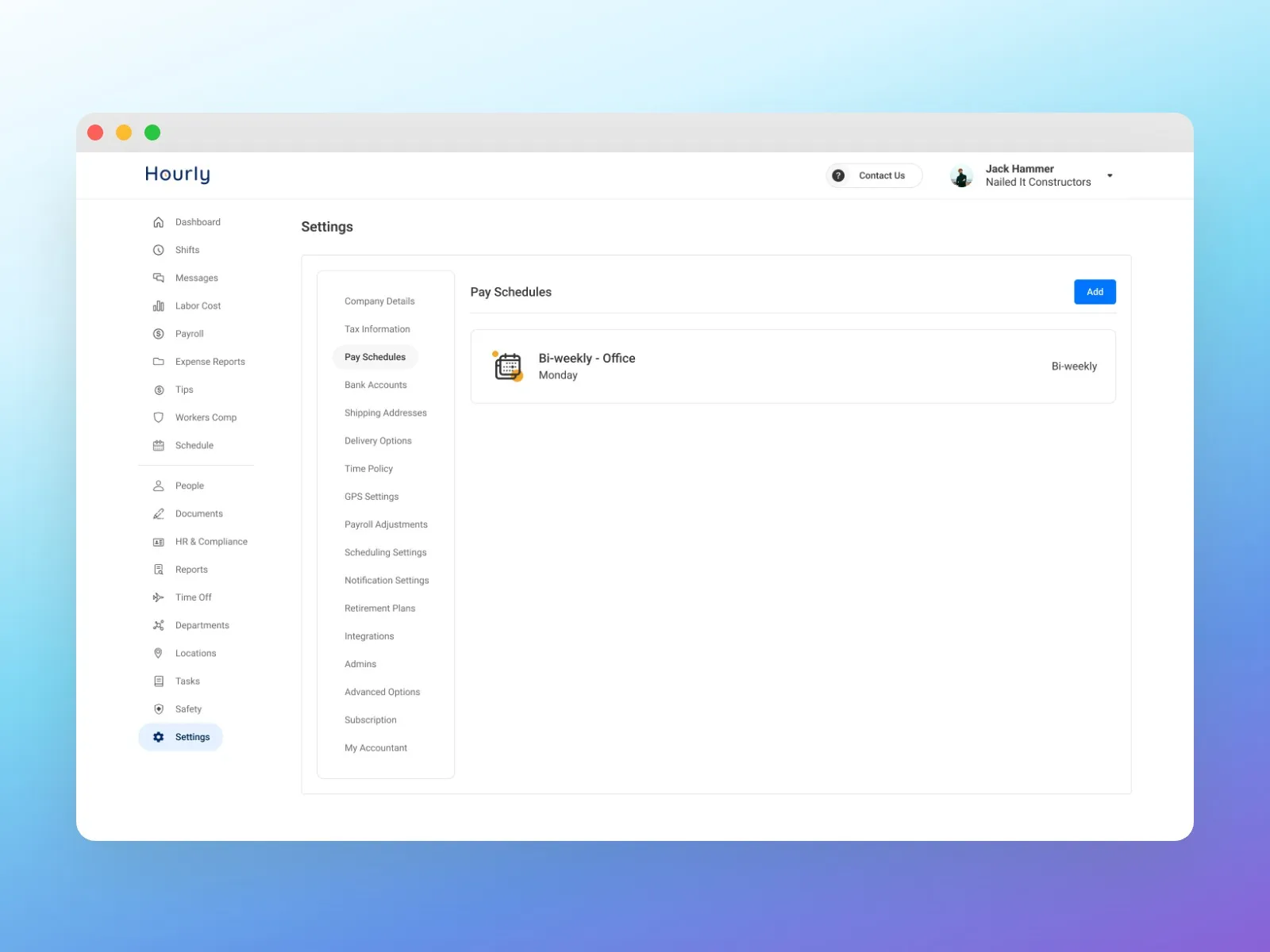
I led the research from June. I looked at how platforms like Gusto and ADP support multiple schedules, then mapped how the same idea would affect our system on web and mobile. Inside the company, Sales told me what customers asked for, the gaps they felt in deals, and how they planned to pitch the feature. Customer Support told me what customers complained about, and what they would need to support it once it was live.
The hardest decision was about the customers who didn’t need any of this. Most accounts run one schedule and know the screens they have. The new capability couldn’t make their day harder.
The Solution
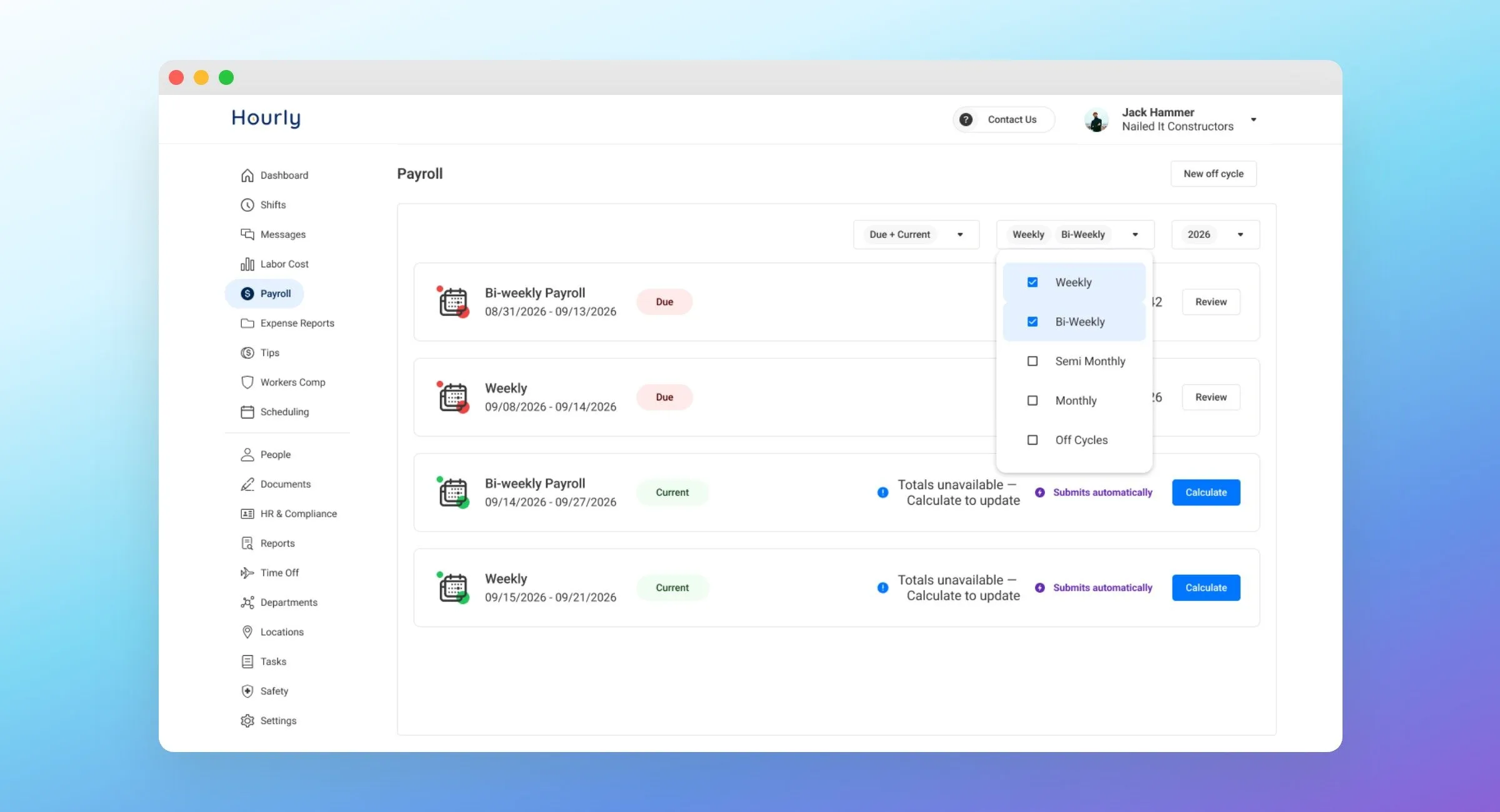
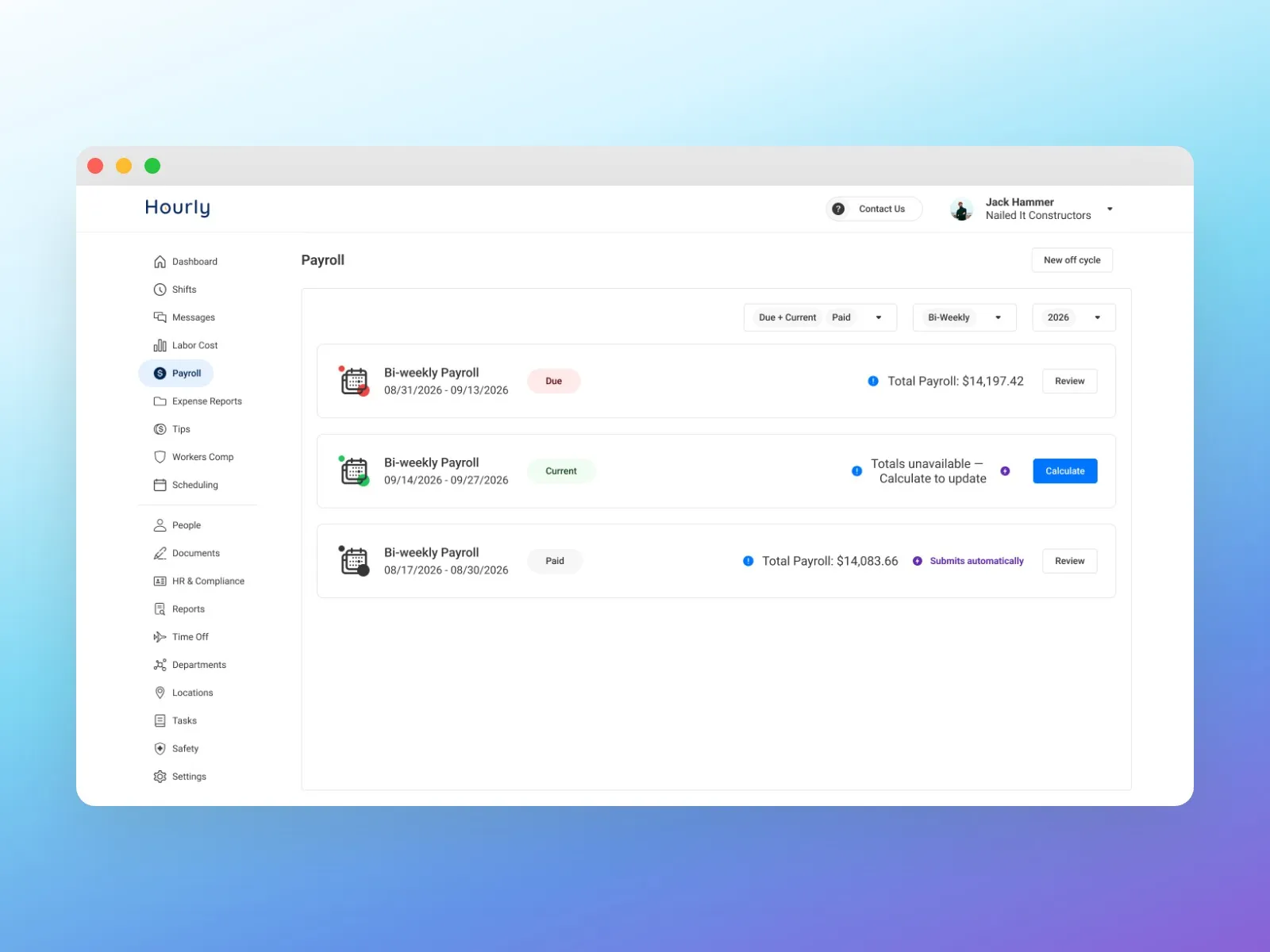
So we didn’t bolt multiple schedules onto the old screens. We redesigned the payroll list for everyone. Due and Current payrolls come first, and paid history steps back behind a filter. Every customer gets the new version: easier to scan, faster, with less clutter.
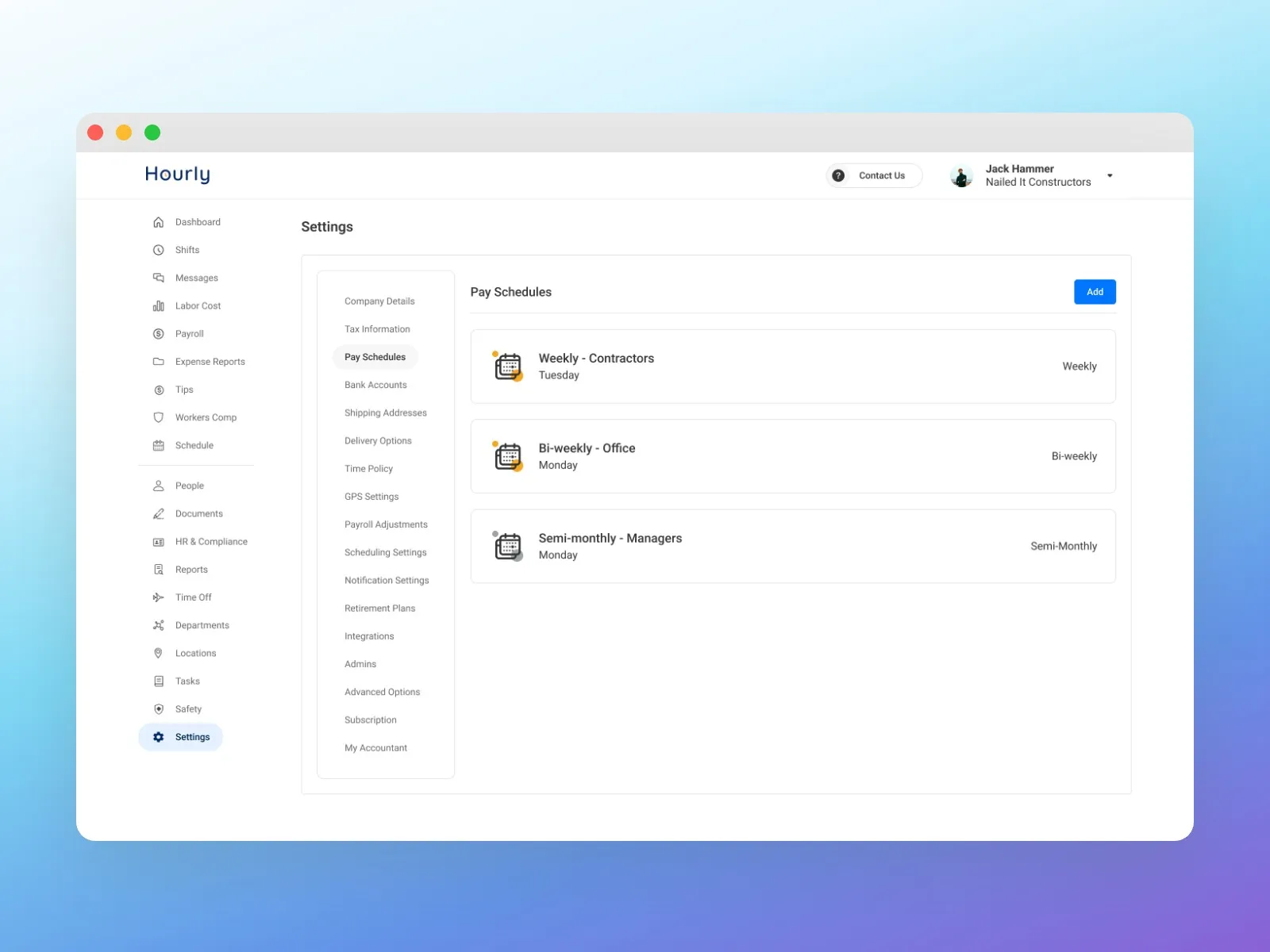
A customer who needs a second schedule adds it in Settings. Each schedule has its own name, frequency and workweek, and the workweek start is what overtime is calculated from.
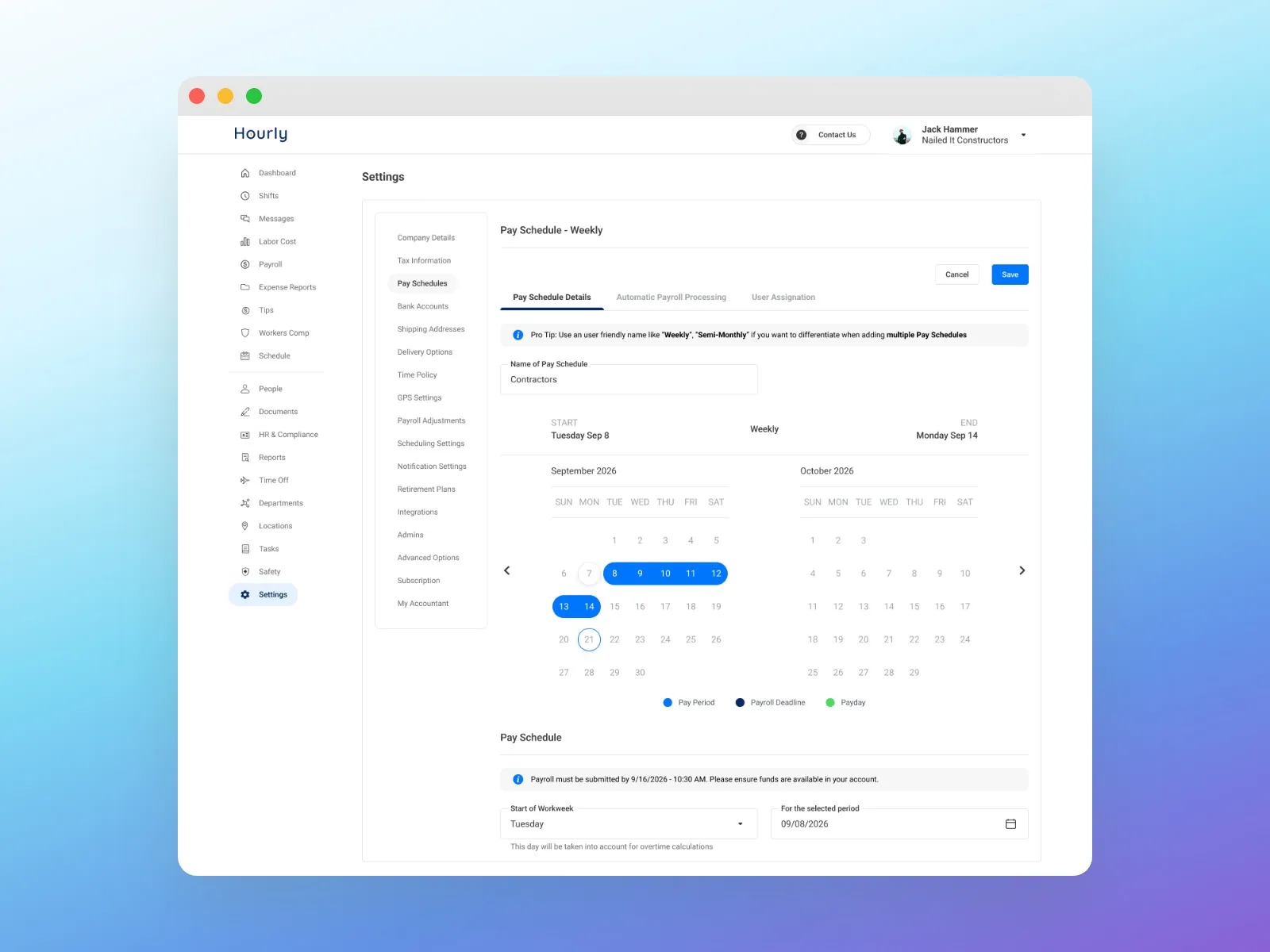
Setting one up shows the result before it’s saved: a calendar with the pay period, the payroll deadline and payday, and the exact time payroll has to be submitted. Changes to a pay cycle are locked while an open pay period has manual timesheets or holiday pay, and the message says why, so nothing already in progress can be broken by accident.
From there, each schedule runs on its own. The payroll list filters by schedule, and every payroll opens to its own run, with its employees, totals and the amount that will be debited.
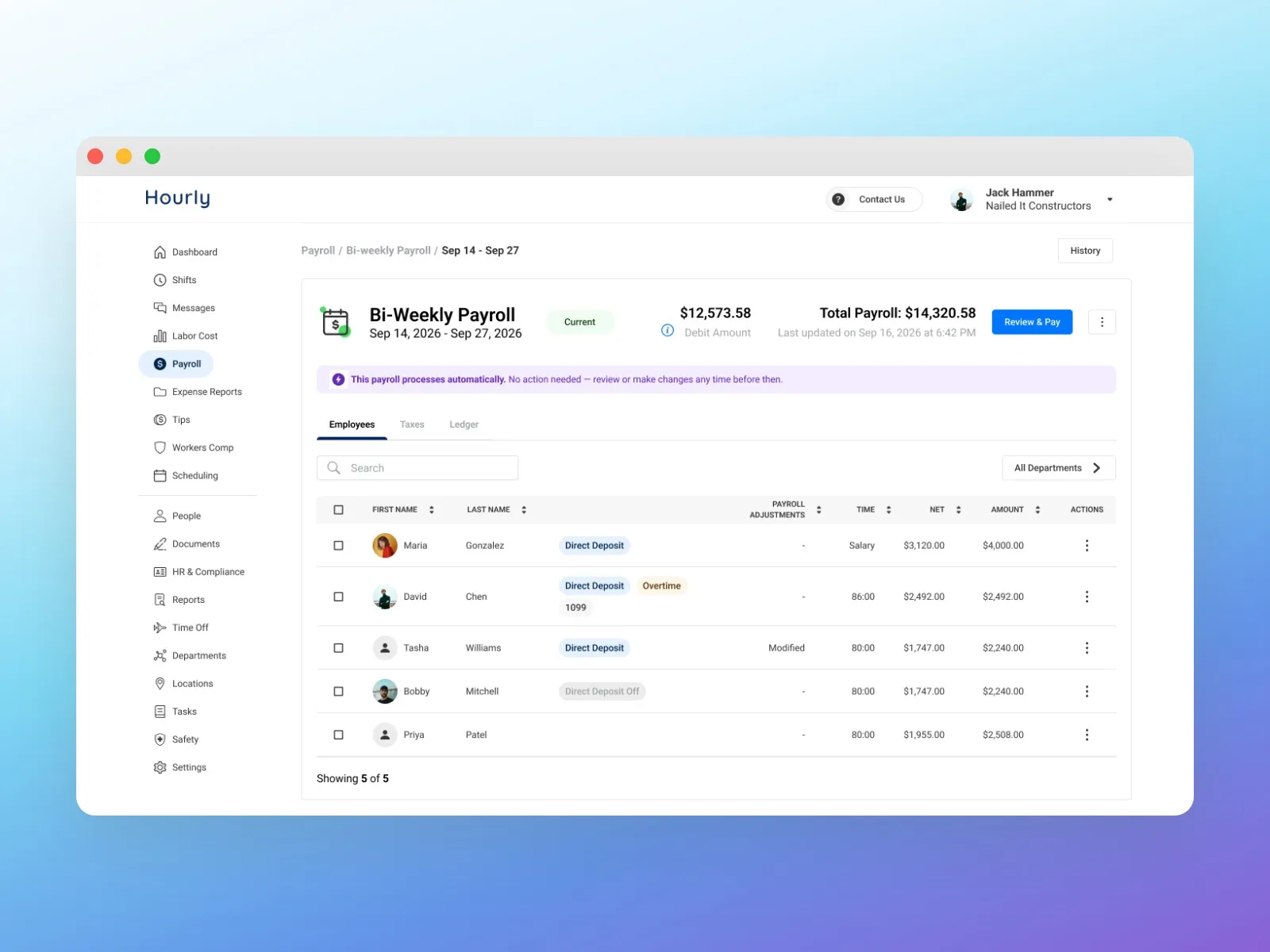
I took the solution from research to a full design for web, iterating on the first versions with Sales and Customer Support until their feedback was addressed. Then I mentored the mobile designers as they built the mobile flows, so mobile matched the web proposal rather than drifting from it.
Impact
It shipped on web and mobile a couple of months ago. Accounts can now run several pay schedules side by side, combining the four types, instead of one locked choice. We’re onboarding customers onto it now, and it closes a feature gap with the other players in the space. It’s too early for adoption numbers; I’ll add them here once the first full quarter of data is in, in early 2027.
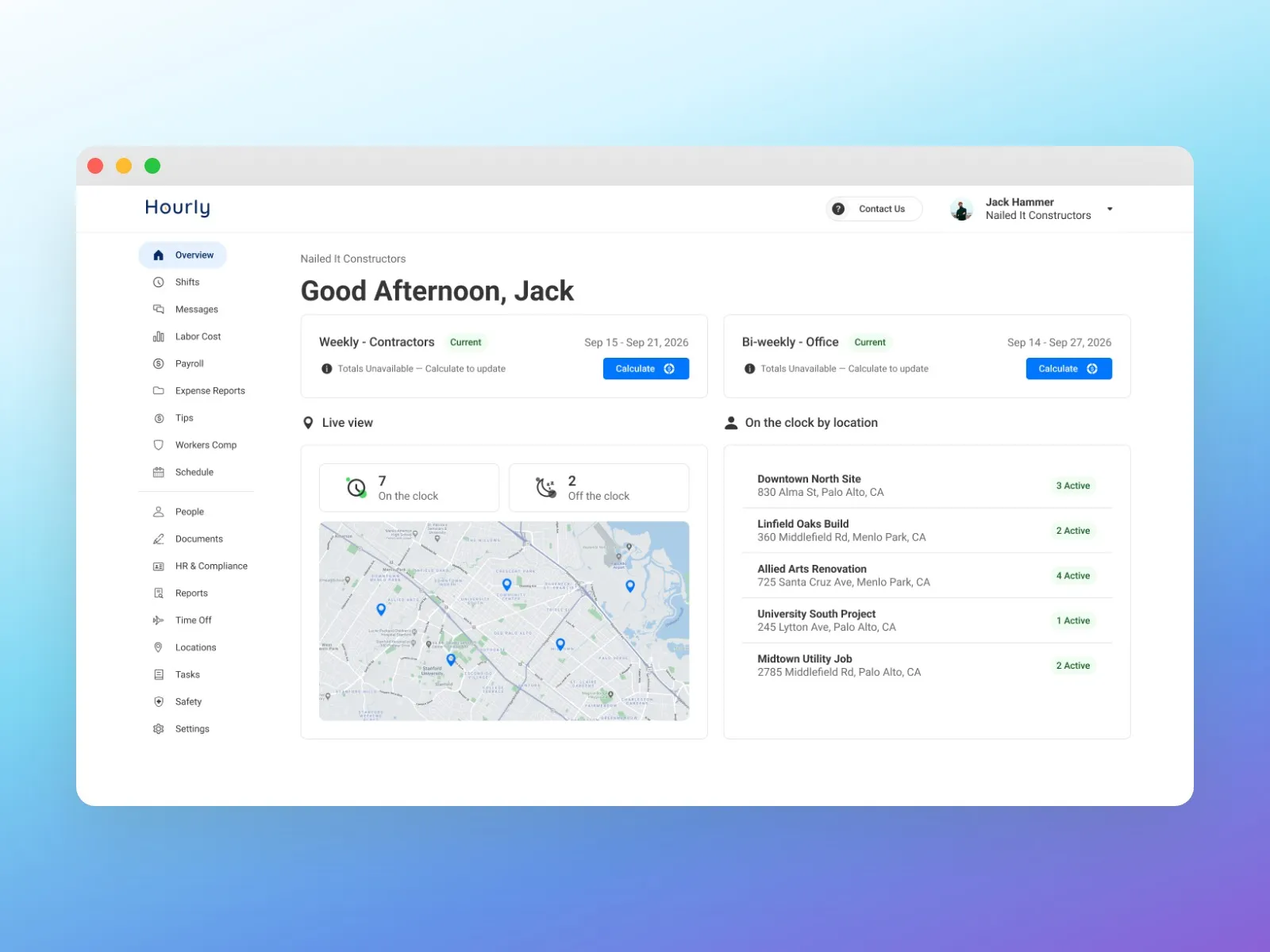
Every customer got the redesigned payroll list, whether or not they use more than one schedule. And because Sales and Support shaped the first versions, both teams knew how to pitch and support the feature on the day it launched.
Reflections
The decision I’d make again is redesigning the payroll list for everyone instead of adding a second schedule to the old screens. It kept the feature easy to understand for the customers who need it, and gave everyone else a cleaner list. The other lesson was timing: bringing Sales and Support in during research, not at launch, is why both teams could pitch and support it on day one.